In 30 Seconds
In an all-in-one joint module, the driver and the motor share one sealed housing — every watt of motor copper loss and driver switching loss must leave through the case. Integrated driver heat dissipation is therefore a conduction-first engineering problem: get the heat to the housing, then get it off the housing. This guide orders the thermal design priorities, explains the protection features that matter, and shows how to read continuous-torque ratings honestly.
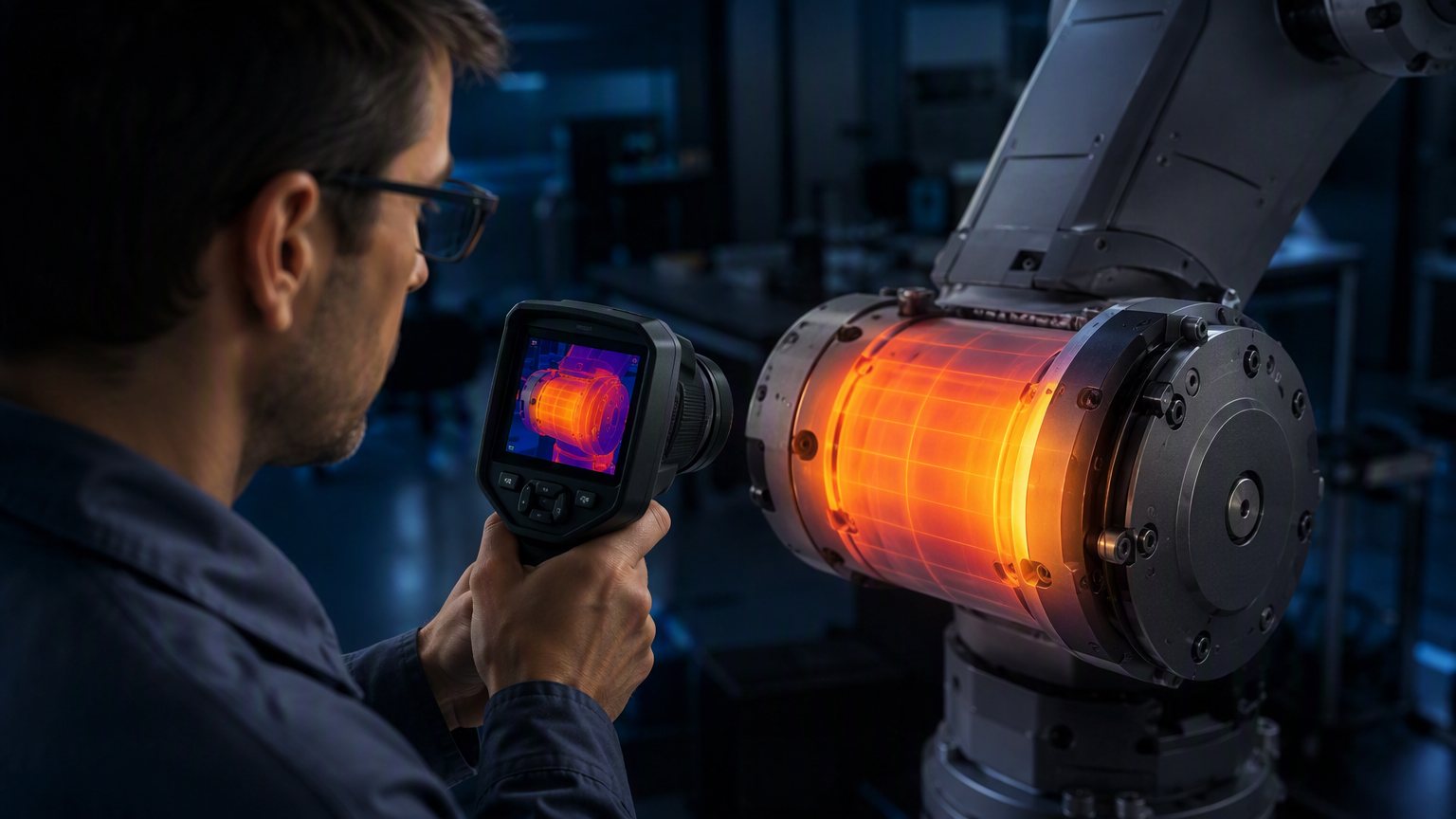
Thermal imaging is the fastest way to validate a joint module's heat path in your own application.
1. The Thermal Reality of Integrated Joints
Integrating the servo driver inside the joint — instead of in a cabinet — is what makes modular arms possible: no drive rack, short cables, one vendor. But it moves the thermal problem into the hardest possible place. The module has two heat sources and one exit:
- Motor: copper loss (I²R) dominates under continuous load; iron loss adds at speed.
- Driver: MOSFET conduction + switching losses scale with current and PWM frequency.
- The only exit: the housing surface, by conduction to the flange and convection/radiation to ambient. Sealed housings (IP54/IP65) deliberately block the airflow that a cabinet design would use.
The result: continuous torque is a thermal specification, not a mechanical one. The gearbox and bearings could hold far more than the module's rated continuous torque; the thermal budget is what caps it.
2. The Heat Path: Conduction First
Thermal design priorities, in order of leverage:
| Priority | Measure | Why It Matters |
|---|---|---|
| 1 | Driver PCB → housing conduction (thermal pads, aluminum-core PCB) | FET losses leave the board fast; the housing is the true heatsink |
| 2 | Motor stator → housing/flange coupling | Stator heat sinks into the flange and housing instead of the rotor |
| 3 | Housing surface area + emissivity | More area and darker/coated surfaces increase convection and radiation |
| 4 | External airflow / cell ventilation | The cheapest way to multiply the heat sink's effectiveness in hot cells |
If you evaluate a module's thermal design on the bench, use a thermal camera (as in the image above): after 30 minutes at rated continuous torque, the housing should show a smooth gradient toward the flange — hot spots on the driver side mean weak conduction coupling, and those spots will eventually force derating or shutdown.
3. Why Sealing and Heat Conflict
IP54/IP65 sealing protects the electronics from dust and water, but it also seals heat in. The design compromise that separates good modules from bad ones:
- Sealed housings rely on internal convection (air movement inside the case) plus conduction to the shell. Larger internal air gaps reduce coupling.
- Thermal interface material between the driver board and the case wall is the difference between a driver that derates at 80% duty and one that runs to 100% at the same ambient.
- Mounting matters to you, not just the factory: a module bolted to a large aluminum flange or frame uses that mass as an additional heat sink. A module hanging at the end of a carbon-fiber tube loses that path entirely.
For the actuator-level picture — fins, duty cycles, equilibrium, and gearbox lubrication under heat — see our companion article Thermal Management for Robot Joint Actuators. This guide focuses on the driver side.
4. Driver-Level Protection: Derate, Don't Just Shut Down
The protection scheme inside the driver decides whether a hot day costs you a trip (downtime) or a derating (reduced throughput). What to demand:
| Feature | Good Behavior |
|---|---|
| On-board temperature sensing | Measures driver/PCB temperature, not just a housing estimate |
| Current limiting | Clamps current before silicon limits; recoverable |
| Over-temperature derating curve | Reduces the current limit smoothly as temperature rises, then restores it — no hard trip |
| Stall protection | Detects locked-rotor and limits I²t exposure |
| Telemetry over the bus | Reports temperature/current to the controller so the robot can plan around the limit |
The PP-series integrated drivers include this protection set and expose temperature and current over EtherCAT/CANopen — so a system integrator can read the thermal state instead of discovering it after a trip. The same philosophy applies to our planetary series (CAN 2.0).
5. Reading Continuous Torque Honestly
Continuous torque is always quoted "at X ambient, Y duty, Z heat-sink condition." Three questions to ask before trusting the number:
- What ambient? 25 °C vs 40 °C changes the number substantially; the PP-series rating covers up to +40 °C, beyond which derating applies.
- What duty cycle? "Continuous" usually means thermal equilibrium at that torque — verify with a 30-minute soak test on your own bench.
- What mounting? Flange-mounted on a large mass vs. cantilevered at the arm tip.
Our incoming inspection guide includes the bench test that verifies these claims before you integrate — the same 30-minute temperature-rise check applies to the driver as to the motor.
6. The Thermal Design Checklist
- ☐ Verify the driver-to-housing thermal coupling on the bench (thermal camera, 30 min at rated torque)
- ☐ Confirm protection features: temp sensing, current limiting, derating curve, telemetry
- ☐ Mount modules to large flanges where possible to add heat-sink mass
- ☐ Add external airflow in cells above 40 °C ambient
- ☐ Read continuous torque with ambient/duty/mounting conditions in hand
Sizing a Module for Continuous Duty?
Send us your duty cycle, ambient and mounting — we'll confirm the continuous-torque envelope and thermal behavior within 24 hours.
Request Quote & Datasheet