In 30 Seconds
A QC report in the box is a good start. Verifying the numbers on your own bench is better. This guide gives a practical, test-by-test acceptance procedure for robot joint modules — unboxing checks, mechanical and electrical verification, backlash and repeatability measurements, and an optional 48-hour burn-in. It takes a few hours, protects weeks of integration work, and gives you a documented baseline for every serial number on your line.
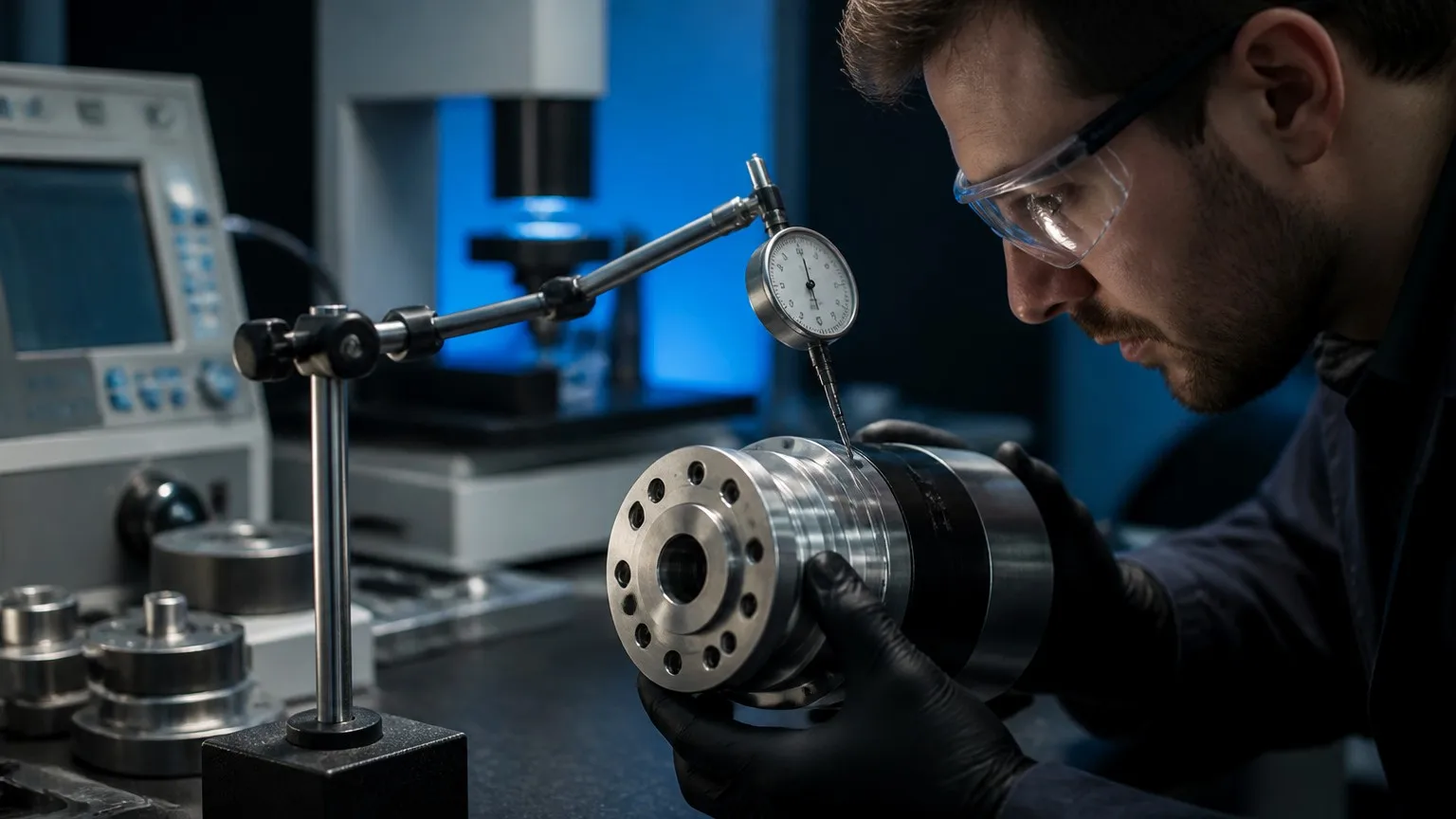
A bench test with a dial indicator takes minutes and protects weeks of integration work.
1. Why Acceptance Testing Pays
A bad joint module installed inside a robot arm is expensive to remove: the arm comes off the line, the joint is exposed, the fault is isolated, a replacement is shipped, and everything is re-verified. Catching the same fault at the receiving dock costs a box and an email.
Acceptance testing also creates your baseline data. When a joint drifts out of spec six months from now, you want its day-one numbers — idle current, temperature rise, backlash — to compare against. Suppliers who ship dyno and QC reports per serial number (as PlaPivot does) make this easier, but you should still verify a sample yourself.
2. Before Unboxing: Documentation & Packaging
Thirty minutes, no tools required:
- QC test report per serial number — backlash, torque accuracy, and encoder verification data should match the module you received, not a generic sample sheet.
- Calibration certificate and datasheet revision — confirm the module revision matches your CAD model and wiring diagram.
- Packaging condition — damage to the shipping box warrants a full mechanical inspection and, if the module is dropped, a factory consultation.
- Moisture indicators — humidity exposure can compromise sealed connectors and electronics.
3. Mechanical Inspection (≈30 min)
Verify the module against the drawing, not the brochure:
- Dimensions: outer diameter and height with a caliper (e.g., PP-52L: 52 mm × 60 mm; PP-170P: 170 mm × 220 mm).
- Output flange runout: mount the module, place a dial indicator on the output flange face and rim, rotate slowly, and record TIR (total indicated runout).
- Hollow shaft bore: verify pass-through diameter (∅8 to ∅30 mm across the PP-series) and check for burrs that could damage cables.
- Mounting surfaces and fasteners: check flange faces for scratches or dings, and confirm that pre-installed fasteners (if any) are torqued.
- Weight: spot-check against the datasheet (e.g., PP-80: 0.9 kg) — significant deviation can indicate an internal difference.
- Seals: inspect the output seal lip for damage or lubricant leakage before first power-up.
4. Electrical Verification (≈45 min)
Now power the module on the bench with a current-limited 48 V supply:
- Connector & pinout: inspect pins for damage; confirm pinout against the wiring diagram before energizing.
- Insulation resistance: with power off, measure phase-to-housing insulation (a 500 V megger; expect >100 MΩ).
- Phase resistance balance: measure motor winding resistance between phases — the three values should be closely balanced.
- Idle current: at 48 V with no load, the module should draw a small, steady idle current. Record the number — it is your day-one baseline.
- Communication handshake: run an EtherCAT bus scan or CANopen node enumeration and confirm the module appears with the correct vendor ID, product code, and firmware version.
- Encoder readback: manually rotate the output flange and confirm both encoder channels (motor-side and output-side) update smoothly and consistently with the rotation direction.
5. Motion & Performance Tests (2–3 h)
These are the tests that matter most, and they use only a dial indicator, a fixture, and the module's own drive software:
| Test | Method | Pass Criteria (PP-series) |
|---|---|---|
| Backlash | Fix the housing, put a dial indicator at a known radius on the output flange, apply a small reversing torque, record the lost motion at the indicator. | <1 arcmin (PP-52L…PP-80); <0.5 arcmin (PP-90…PP-170P) |
| Position repeatability | Command the same position 10–20 times, measure the spread at the indicator radius. | ±0.003° (small models); ±0.002° (large models) |
| No-load current & temperature | Run at rated speed for 30 min, log current and housing temperature. | Stable current; temperature within datasheet limits |
| Torque hold | Apply rated torque (via a lever arm and weights, or the module's own torque command), observe encoder drift over 10 min. | No drift beyond repeatability spec |
| Noise & vibration | Run at 10%–100% speed, listen and feel; compare against a known-good unit. | No bearing noise, no resonant vibration |
If you are setting up the drive software for the first time, our controller setup guide covers the wiring-to-first-movement path, and the reliability testing article explains the factory-side procedures that back these specifications.
6. Optional: 48-Hour Burn-In
For production robots that will run 24/7, a bench burn-in is cheap insurance: run the module at ~80% of rated torque in a repeating duty cycle for 48 hours, logging temperature rise and any drive alarms. Most early-life failures — marginal windings, thermal derating behavior, intermittent connector faults — appear in the first few hundred cycles. PlaPivot's own factory testing uses the same philosophy: thermal cycling and torque-curve verification on every unit before shipment.
7. What to Record — and What to Do on Failure
Keep a per-serial-number log: measured backlash, repeatability, idle current, temperature rise, and any anomalies. This becomes your fleet baseline and your supplier's best debugging input.
If a module fails acceptance, stop and document: photos, logs, and the test data. With PlaPivot's standard 12-month warranty (24-month extended available), warranty claims are handled with replacement units shipped within 5 business days — but a documented, bench-verified failure is what turns a claim into a same-week replacement instead of a debate.
8. Summary: The Acceptance Checklist
- ☐ QC test report & calibration certificate match the serial number
- ☐ Dimensions, runout, bore, and seals verified against drawing
- ☐ Insulation resistance >100 MΩ; phase resistance balanced
- ☐ Idle current and temperature baseline recorded
- ☐ EtherCAT/CANopen handshake and firmware verified
- ☐ Both encoder channels read back correctly
- ☐ Backlash and repeatability measured on the bench
- ☐ Torque hold, noise, and vibration within spec
- ☐ 48-hour burn-in logged (for 24/7 duty robots)
Need Datasheets or Test Specifications?
Request the QC test report template, full catalog, and CAD models — our engineering team responds within 24 hours.
Request Datasheets & CAD Models